

How to search for events and users
Event Search in Protege GX makes finding access control events fast and intuitive. Built for busy security teams, Event Search reduces review time and helps you act on incidents with confidence.

NX Witness – Reviewing and Downloading Footage
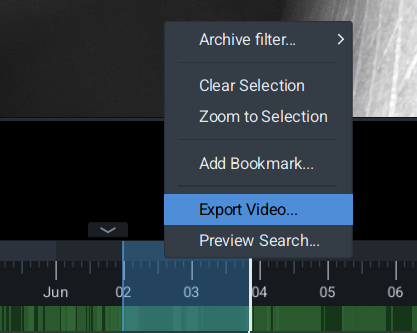
Nx Witness makes reviewing and downloading footage fast and straightforward. The intuitive timeline and multi-camera playback let you quickly find events, scrub through recordings and export clips in common formats. Use bookmarks and smart filters to zero in on footage by time, camera or motion event. Exports retain metadata and can include evidence stamps for chain-of-custody needs, while batch downloads and scheduled exports simplify large or recurring tasks. Whether on desktop or mobile, Nx Witness delivers reliable, high-quality playback and easy downloads tailored to commercial, strata and public-sector requirements.
Salto Space User Guide
Salto Space User Guide — quick reference for administrators and end users
This concise user guide explains how to use Salto Space for secure, flexible access control across commercial, education, government and strata sites. It covers logging in, assigning and managing digital keys, creating schedules and access groups, setting up visitor and contractor access, and monitoring events and audits. Step-by-step instructions show how to add users, issue mobile or credential-based keys, revoke access instantly, and configure doors, readers and hardware settings. Practical tips cover multi-site management, integration with CCTV and intercoms, and everyday troubleshooting. Ideal for building managers and site administrators who need straightforward, reliable procedures to keep properties secure and access simple for occupants and contractors.
How CXI Connect can benefit your site
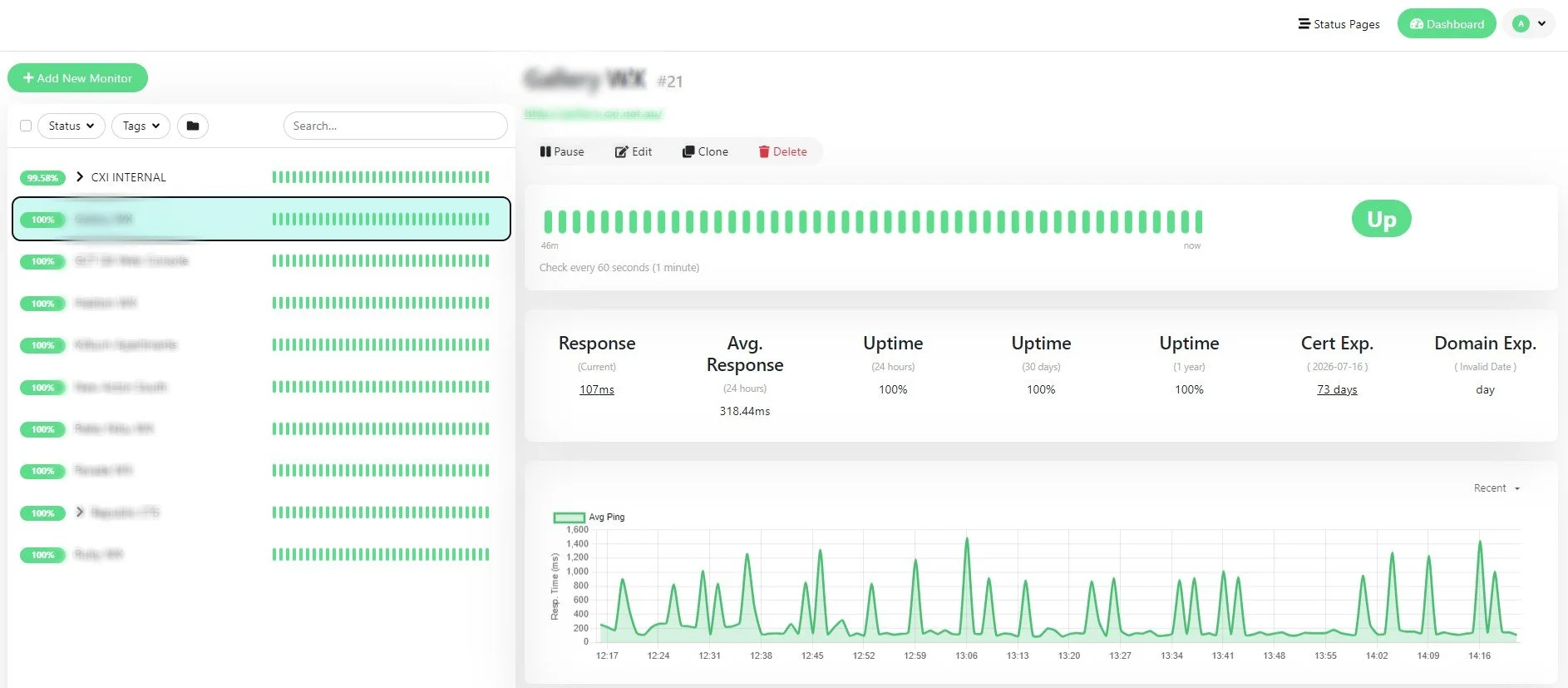
Remote access and real-time monitoring for your security system.
CXI Connect gives strata managers and facilities managers secure remote access to their security systems — plus live monitoring, faster support, and lower ongoing costs. No technician on-site required for everyday tasks.
Access your short-stay apartment via QR Code
Accessing an Airbnb apartment via QR code is a quick, contactless way to check in—guests receive a
Accessing an Airbnb apartment via QR code is a quick, contactless way to check in—guests receive a unique QR code before arrival which they scan at a digital lock or entry panel to unlock the door, often paired with time-limited credentials for added security. This method reduces key handovers and allows hosts to manage access remotely, set arrival windows, and revoke permissions after checkout. For convenience, instructions should be clearly provided in the booking message, the guest guide and on signage at the property, and the system should log entries for accountability. Ensure the QR delivery method is secure, codes are single-use or time-restricted, and guests have an alternative access plan in case of phone or connectivity issues.
Managing your Airbnb with Akuvox
Manage your Airbnb with the Akuvox SmartPlus app. Remotely control access, issue time-limited entry codes, and monitor arrivals live. Integrate intercoms and door controllers to admit cleaners, maintenance and guests without keys. Get visitor alerts, event logs and door‑camera clips. Use automated rules and schedules plus multi‑user permissions to streamline check‑ins/outs. Save time, reduce stress and keep your property secure with one easy app.
Manage your Airbnb unit effortlessly with the Akuvox SmartPlus app. Control access remotely, grant time-limited entry codes for guests, and monitor arrivals in real time — all from your phone. Integrate with intercoms and door controllers to let cleaners, maintenance and guests in without physical keys. Receive visitor notifications, view event logs and review video clips from your door camera for added security and peace of mind. Automated rules and schedules let you streamline check‑in/check‑out routines, while multi‑user access ensures cleaners and property managers have the right permissions at the right times. Save time, reduce stress and keep your property secure with a single, easy-to
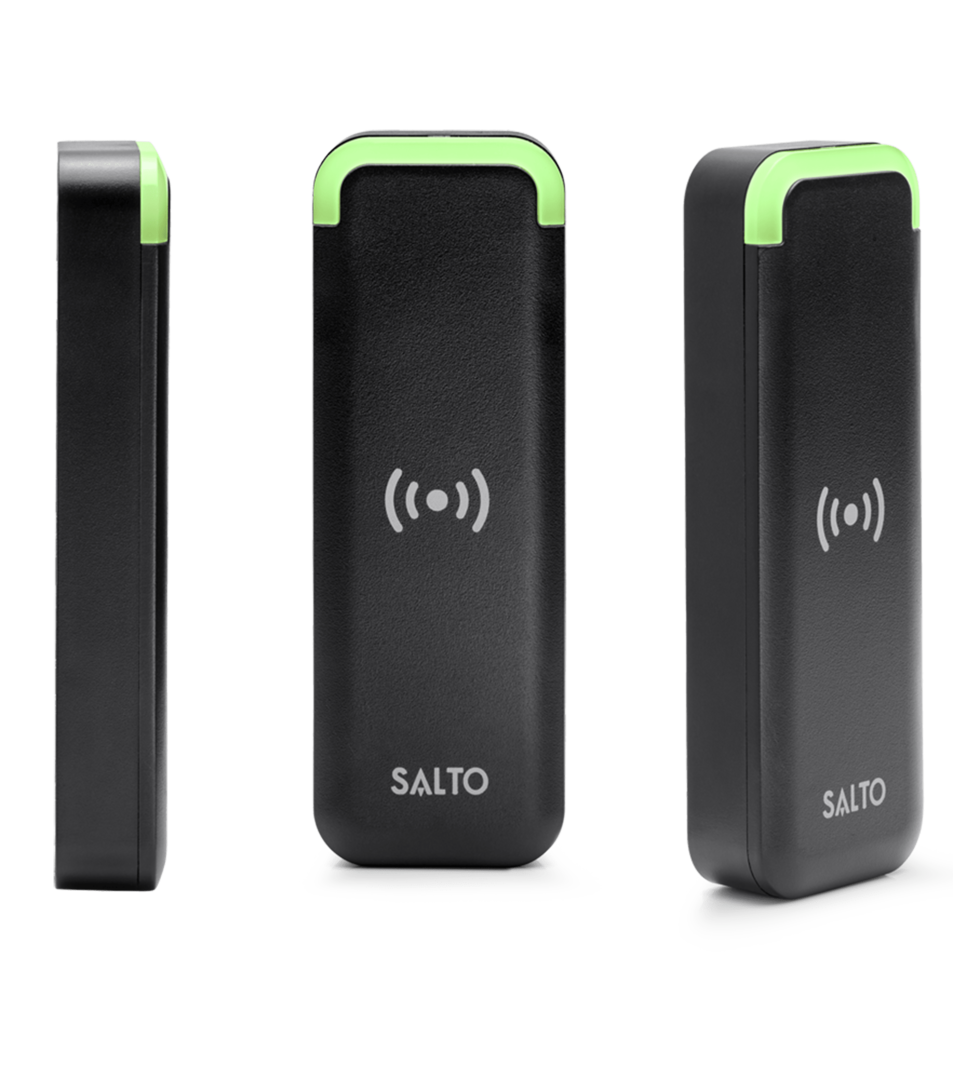
Using a Salto card reader
Hold your SALTO proximity card or fob close to the reader — about 2–10 cm — with the printed side or chip facing the reader. Present the card steadily until the reader’s LED changes colour or you hear a beep. Don’t swipe or insert the card; a brief tap or hover is all that’s needed. If access is granted, the door will unlock or an indicator will show green; if denied, the reader will flash red or beep differently. If the reader doesn’t respond, try briefly repositioning the card, check battery-powered readers for low-battery indicators, and contact your site security administrator to confirm the card is active and correctly authorised.



CXI Cloud Demo
Explore CXI Cloud — our easy, secure way to manage CCTV and access systems from anywhere. Designed for Canberra councils, schools, commercial sites and strata, the CXI Cloud demo lets you see live video, play back footage, manage device status, and control access permissions through a single, user-friendly dashboard. Built with enterprise-grade security and scalable to suit multi-site deployments, CXI Cloud simplifies monitoring, incident review and maintenance tasks while keeping your systems supported and up to date. Try the CXI Cloud demo to experience remote access, intuitive controls and streamlined administration tailored to Australian organisations.

ICT WX User Guide Videos
Need quick, clear help with your ICT-WX intercom and access system? Our ICT-WX user guide videos walk you through setup, everyday use and troubleshooting in easy‑to‑follow steps. Short, practical tutorials cover handset operation, mobile app use, camera views, door release and common fixes — perfect for building managers, strata committees and facilities teams. Watch anytime to save time on calls and keep your system running smoothly.


