CXI has installed an Akuvox Door controller to allow your guests temporary access into the building so they can securely access your short-term stay apartment keys from the lockbox or key safe inside.
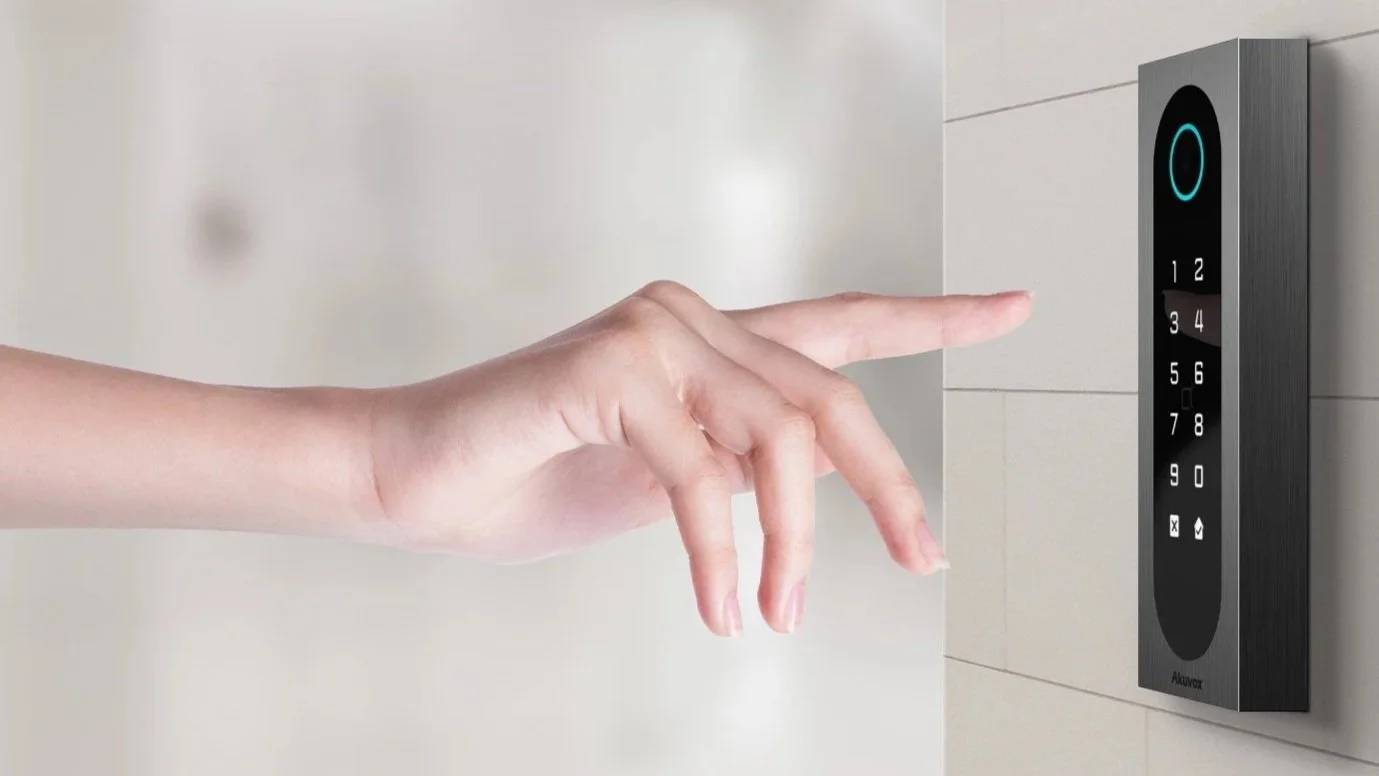
PIN or QR code reader that will be on your entry point door
Akuvox SmartPlus App icon
These instructions will guide you on managing your apartment via the app.
For guest instructions please see this article here —> Access your short-stay apartment via QR Code — CXI - Access Control | Intercoms | CCTV
Login
You will receive a Welcome email from Akuvox after your installer or property manager registers a SmartPlus Account for you with links to download the app from your app store.
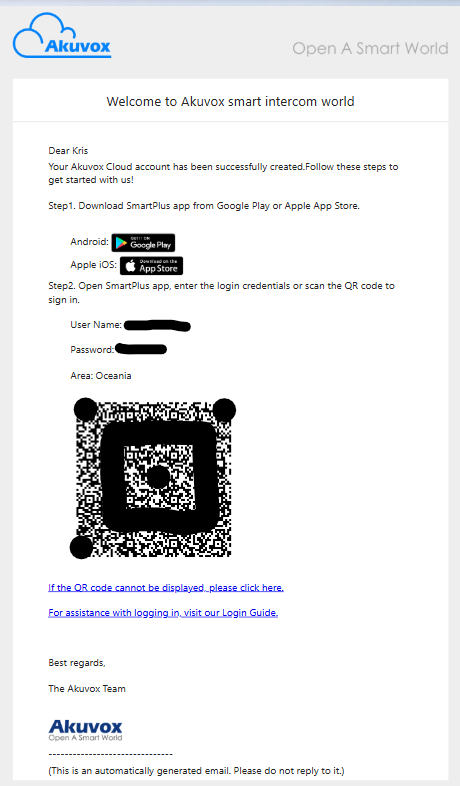
Example of the Welcome email
Use the information in the email to log in to the app.
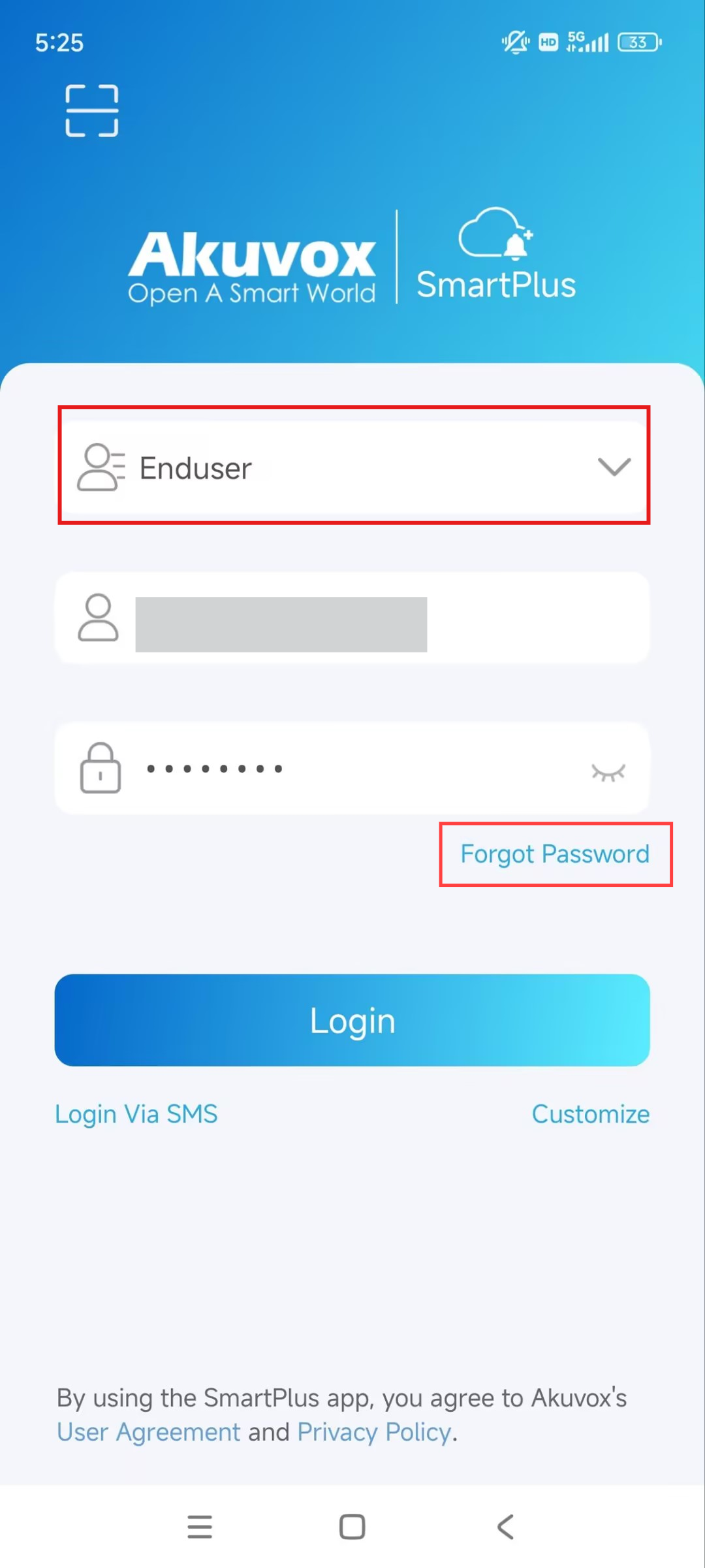
Select Enduser.
Fill in your email address and password.
Tap Login.
If you forget your password, tap Forgot Password to reset the password via your email or SMS.
How to Unlock the Door
There are many ways - you as an administrator - can unlock the door for yourself or your guests remotely.
Remotely Unlock From The SmartPlus App
Note: If you don’t see the door you need on the homepage please contact CXI administrator to add this to your profile
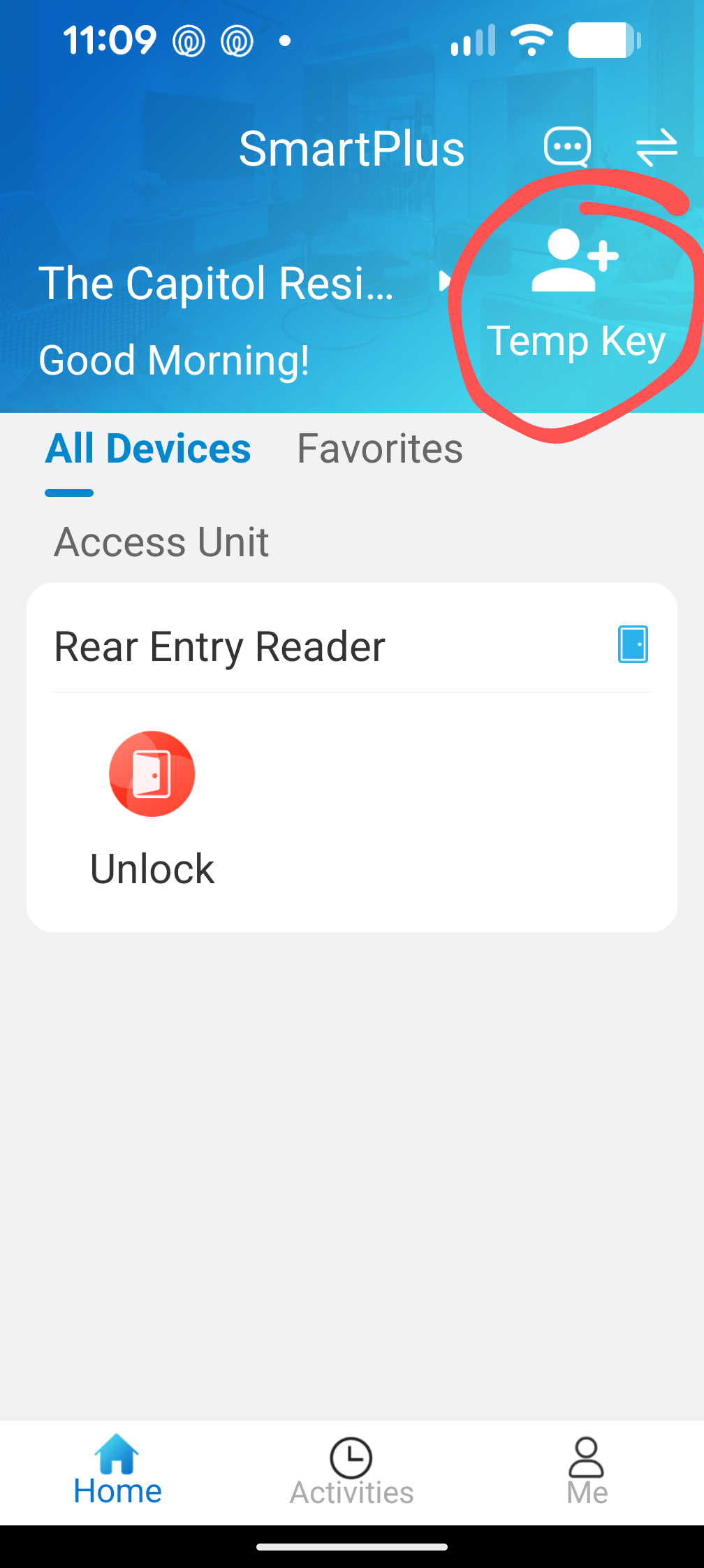
on the Homepage of the app, Tap Unlock on the door you need to open.
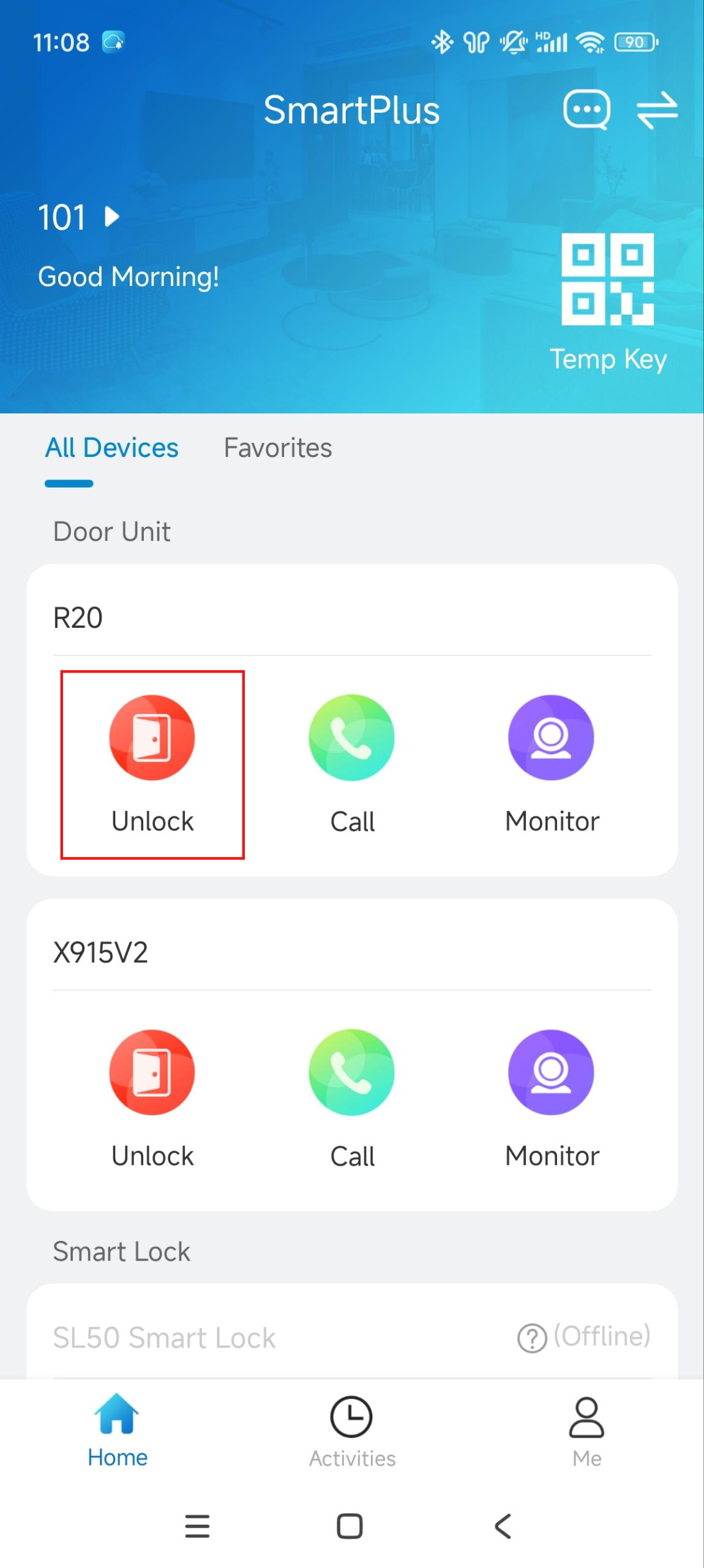
NOTE: Call and Monitor options are only available if your entry point is an intercom system, if it’s the Keypad/Reader then these won’t be visible.
Unlock via NFC or Bluetooth
With NFC-featured mobile phones, you can open doors by moving your phone close to the device’s card reader area or using Bluetooth.
Note: ONLY Android mobile phones support the NFC door-opening feature.
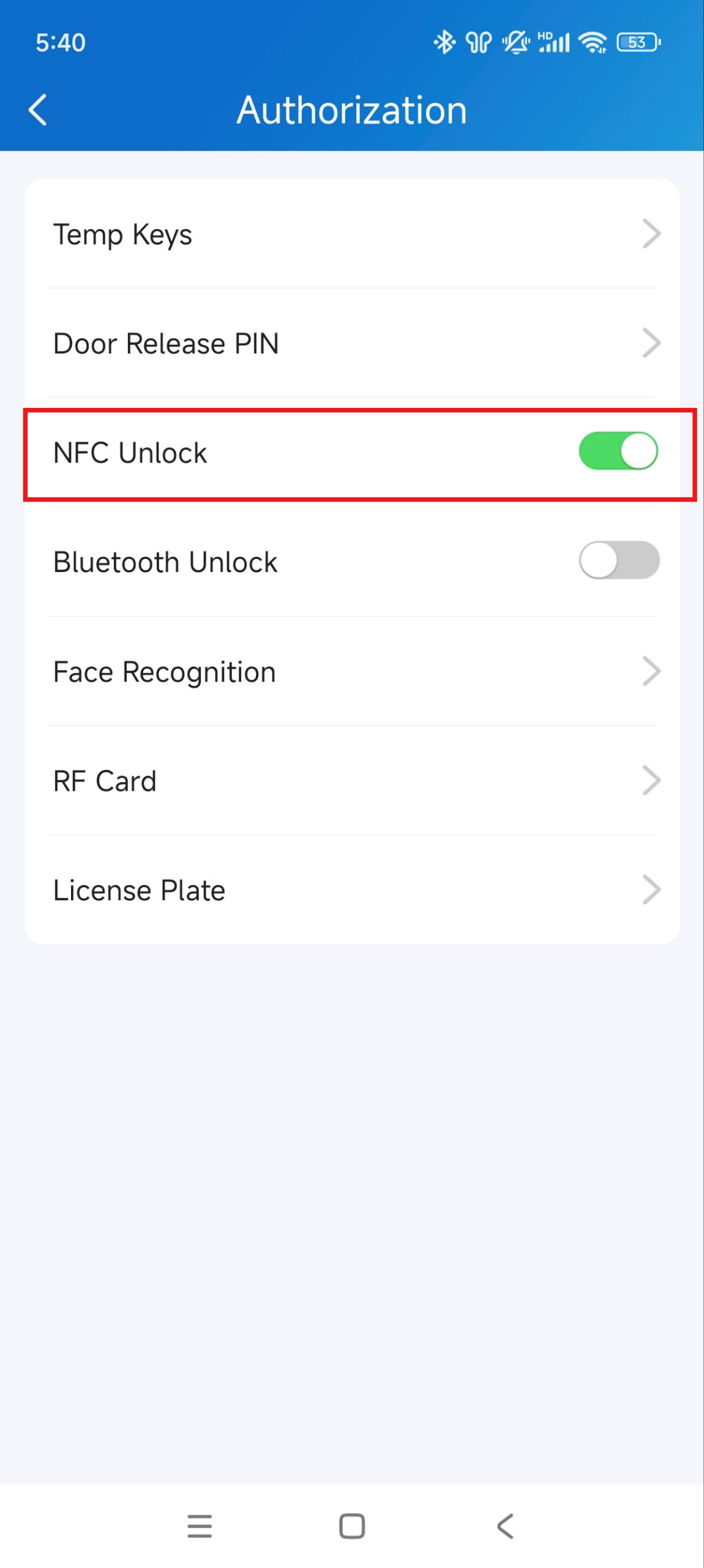
Tap Me on the bottom > Authorization.
Enable NFC Unlock or Bluetooth Unlock.
Turn on the NFC feature in your phone. The configuration varies by mobile phone brand. Please refer to the phone manuals for instructions.
For Bluetooth Unlock enabled access select the Unlock Mode and choose from:
Shake (shake your phone when in Bluetooth range)
Hands-Free (This will auto-unlock when approaching the door and within range or Bluetooth)
Tap as Card (place your phone on reader and use like NFC)
Allow Guest Access
When you have a guest staying you can easily send them a temporary QR Code/PIN to allow them entry into the building. Then they can access their apartment keys/cards/remotes from your lockbox or key safe.
Create Temp Access Keys For Your Guests
Creating a temp key will send your guest an email with the QR code and PIN number automatically.
Tap Temp Key on the homepage.
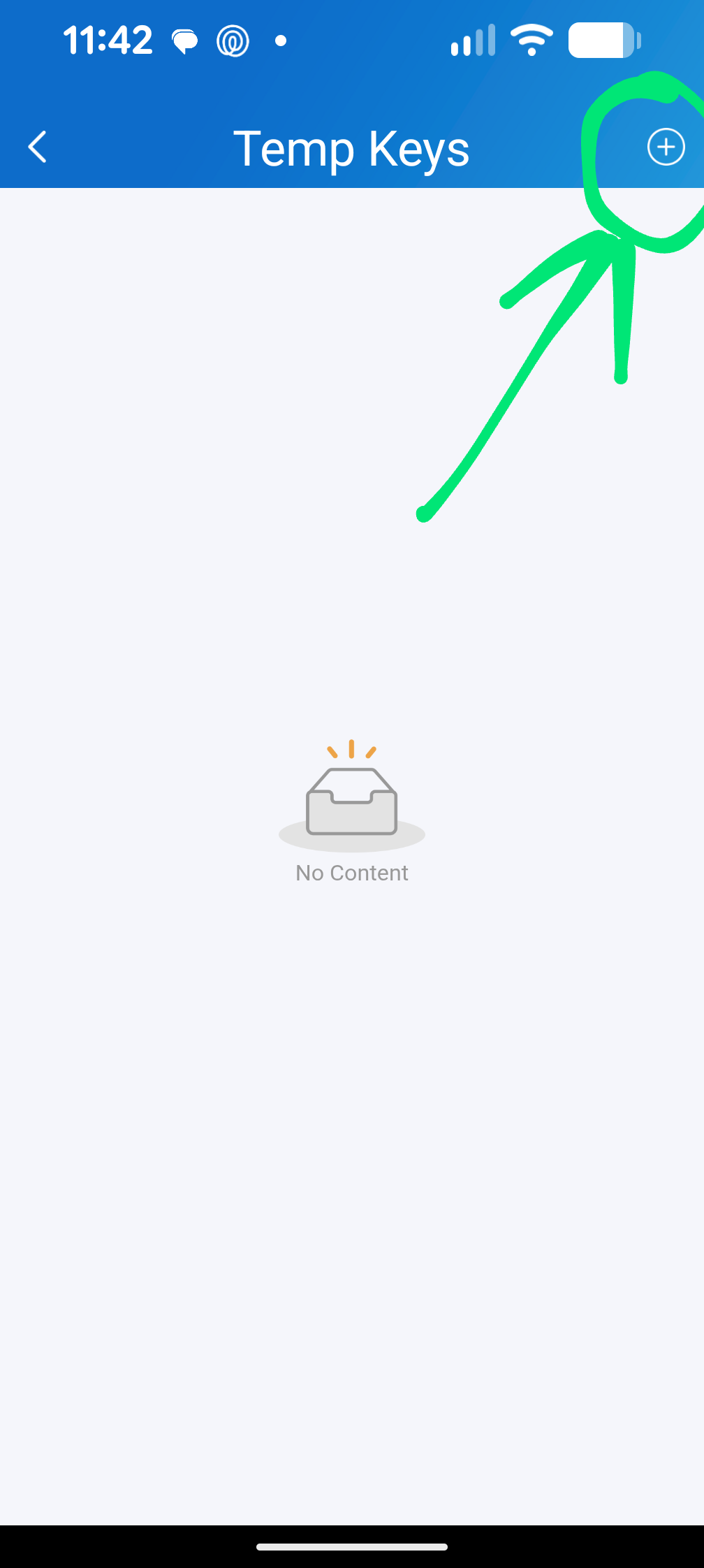
Tap + symbol in the upper-right corner.
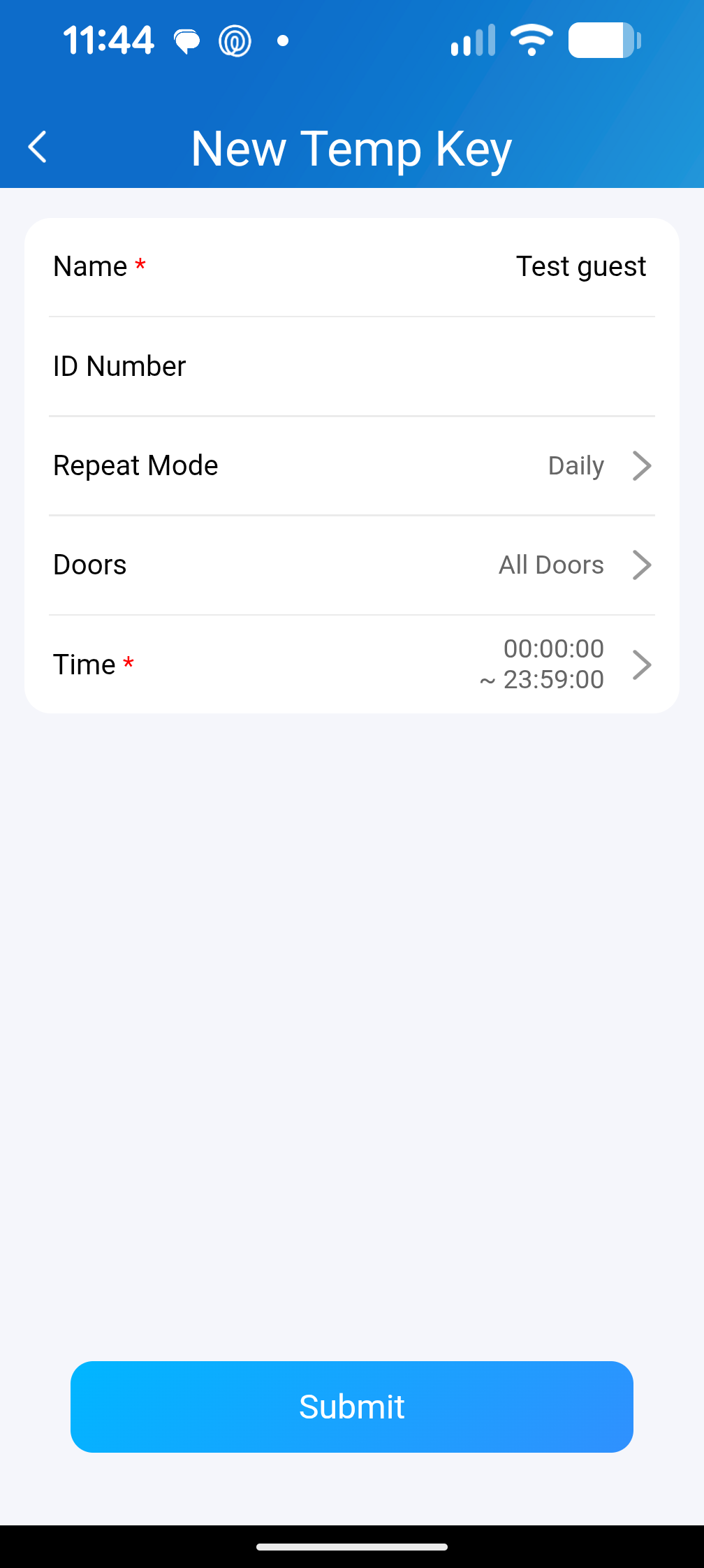
Enter the Guest Name (Required) and ID Number (Optional).
Select the Repeat Mode, which defines how this key can be repeatedly used:
Never = Set the fixed number of times the key can be used eg. “3” defines three times allowed entry and the fourth time will be denied.
Daily = Allowed any day between set times. Recommend this and set 12am-1159pm as the timeframes.
Weekly = select the days of the week + time during the day eg. Only Saturday/Sunday 8am-2pm.
Select Each Door Counts (relates to Never repeat mode and allows a fixed number of uses before key is disabled)
Select the door(s) to be opened - this is set to all doors by default and usually doesn’t need to be changed.
Specify the timeframe to allow your guest to use the key:
Never Mode = allows start date/time and End date/time for key to be active
Daily Mode = set a start time and end time for key to be active
Weekly mode = set a day of the week and start/end times for key to be active
Tap Submit.
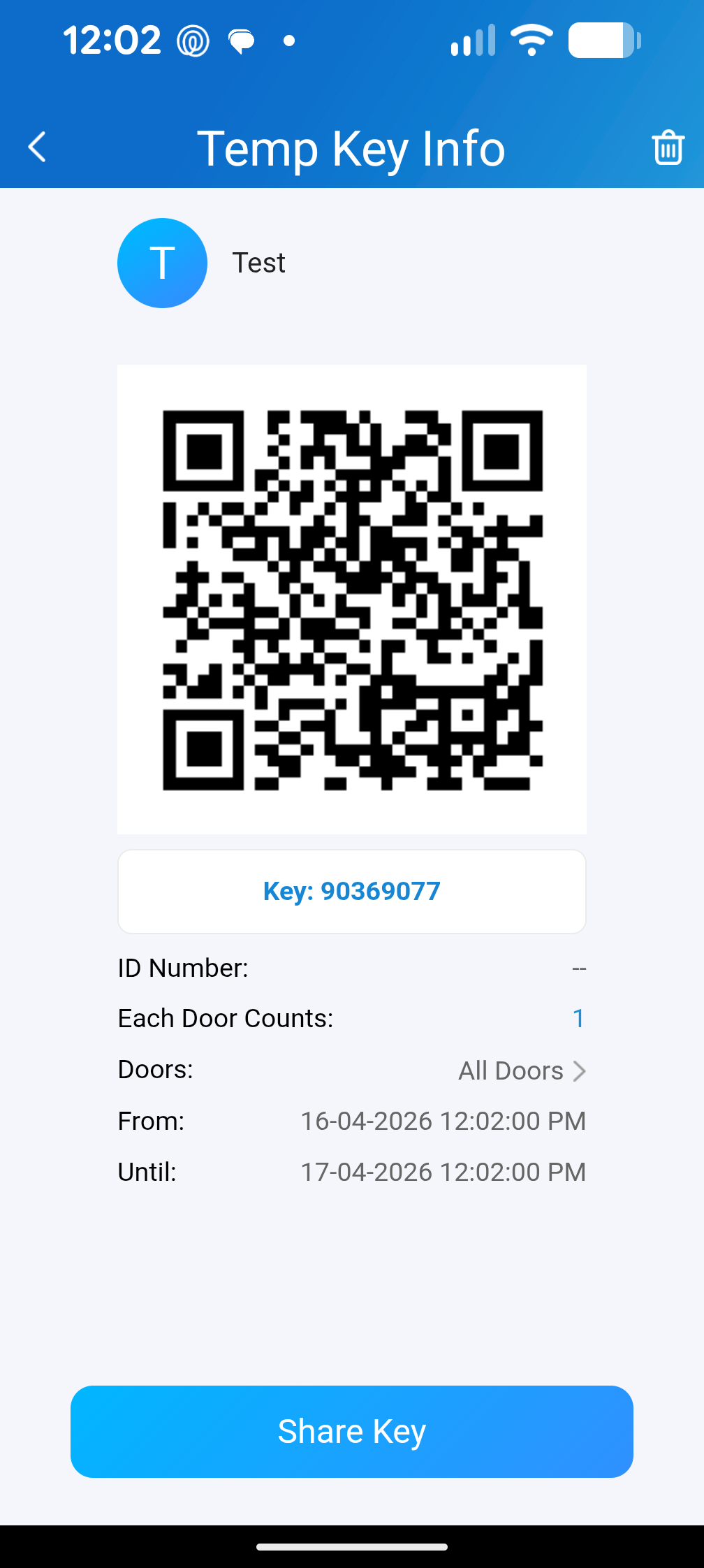
You will be shown a copy of the temp key, select Share Key to send via messages, email + more. For instructions on using the temp key see the article here —> Access your short-stay apartment via QR Code — CXI - Access Control | Intercoms | CCTV