These instructions are for guests that have been sent a QR Code or PIN via the Akuvox SmartPlus app.
How to access
You should have received a Temp Key email from the property owner or manager similar to the one below:
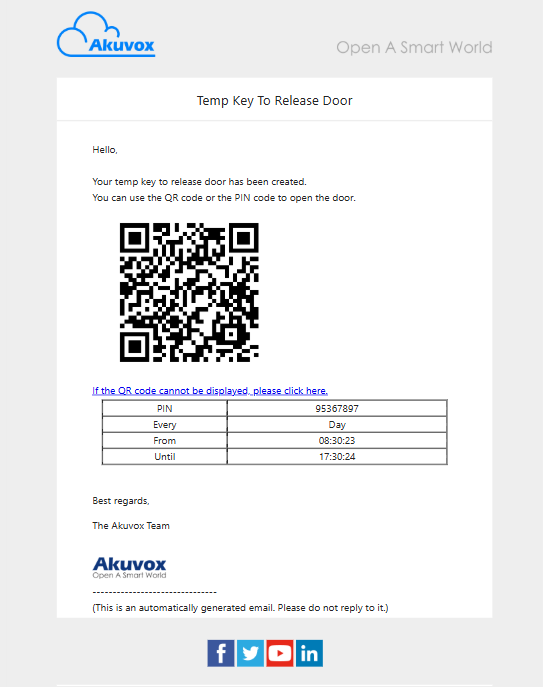
Temp Key Guest email
Using QR Code Entry
Either print out the email or on your phone show the QR Code to the reader at the door. The BLUE circle is where the camera is located.
If the key is valid, the door will unlock.
If the key is NOT valid, you will be told “Access Denied” and please contact your Property Owner/Manager.
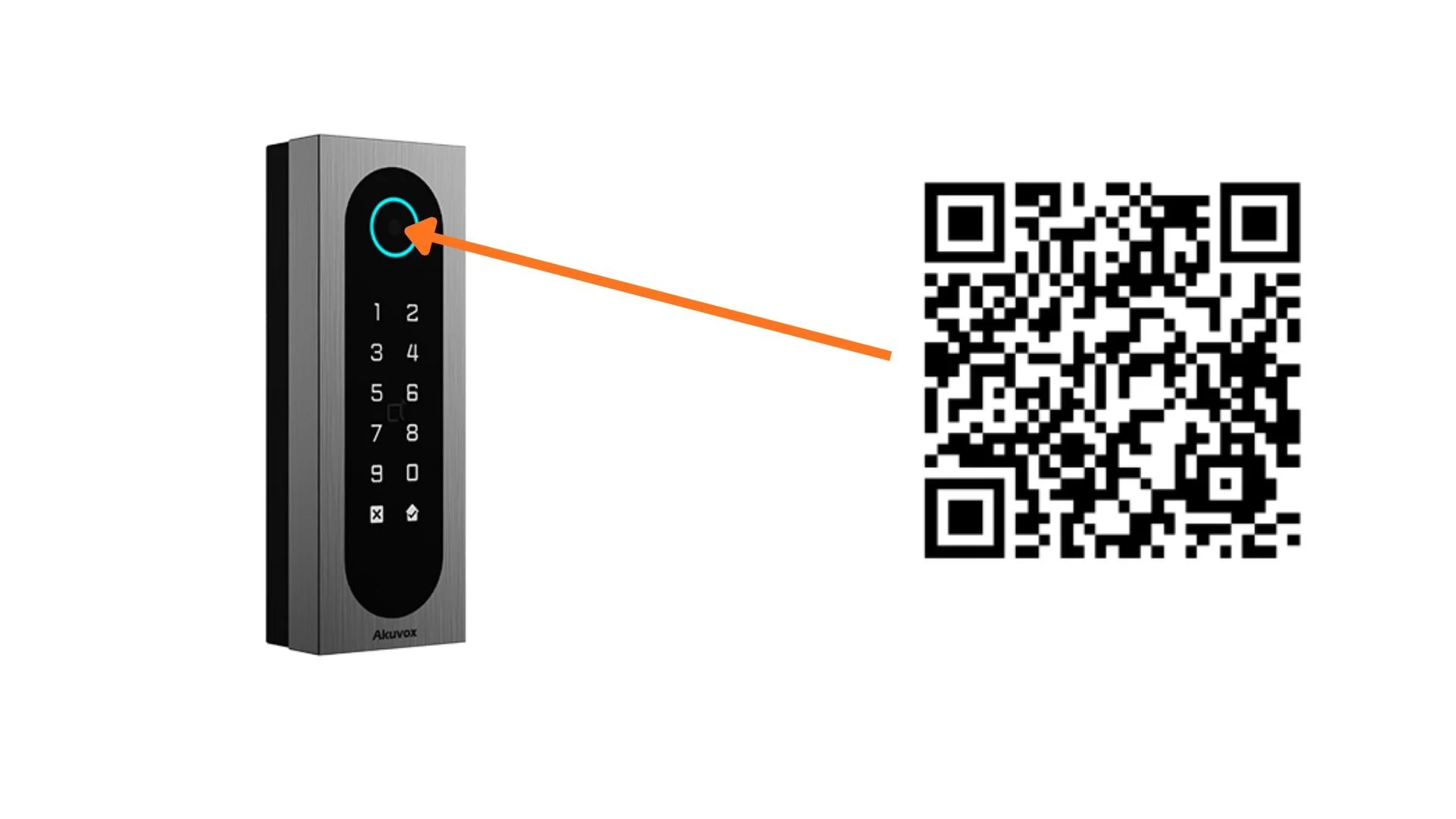
Door Reader
Using PIN Code Entry
Approach the pin pad and type in the PIN followed by ✔️ from your Temp Key email.
If the PIN is valid, the door will unlock.
If the PIN is NOT valid, you will be told “Access Denied” and please contact your Property Owner/Manager.