Quick Overview
This section describes the components of the Salto Space home screen which is divided into the following three main areas:
Account/Operator menu
Main drop-down menu bar
Quick-launch tiles
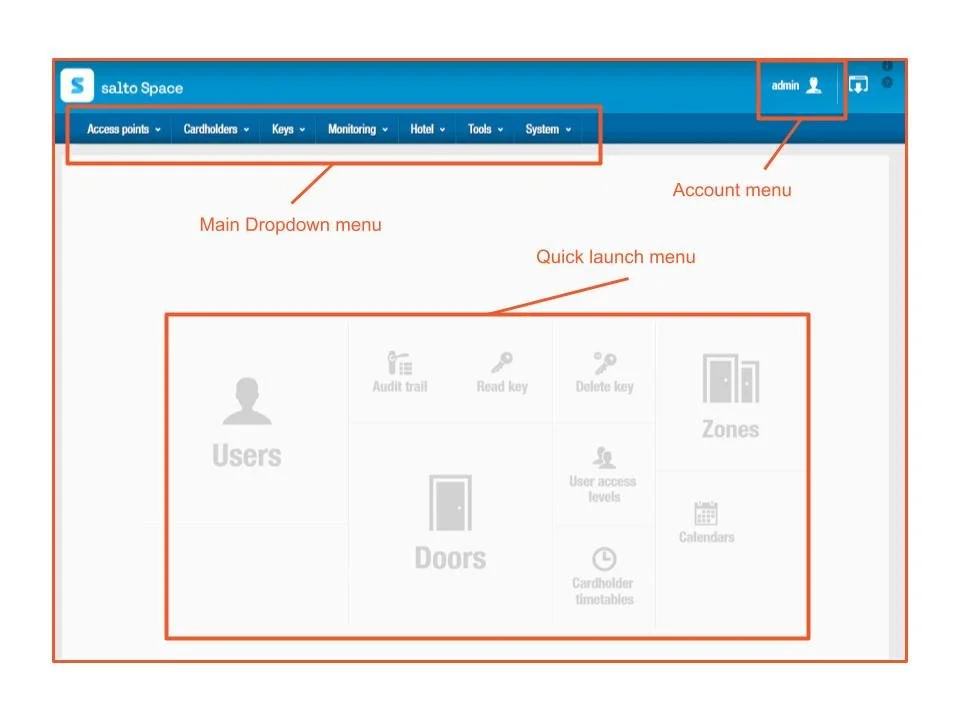
-
Operator
Used to change the login password and edit local settings. Note that this changes depending on the login used. For example, if a hotel operator logs in, this could display 'hotel'. Each operator can customize specific settings such as their preferred language or, if using an Ethernet encoder, the encoder to use.
AlertsDisplays alerts so that you can see specific system-related issues, for example, unfinished tasks.
Log out
Used to log out of Space.
About
When you click this icon, the About window opens. This window displays information relating to your Space license and version as well as displaying links to the locker kiosk and attendance monitoring screens, for example. The information displayed on this screen depends on which features you have access to in your Space license.
User guide
When you click this icon, you are redirected to the Space user guide.
-
Access points
Creates and controls access points, for example, doors, lockers and rooms. It also enables the creation of zones to group and manage these access points.
Cardholders
Controls who has permissions to use a key, for example, users, guests or visitors. This menu also controls when and where the key can be used through the use of timetables.
Keys
Enables keys to be read, updated and deleted from the system. It is also used to check visitors in and out.
Monitoring
Provides an audit trail of the site by tracking access point activity.
Hotel
Enables guest check-in, check-out, and key management for hotels. See Hotel sections for more information.
Tools
Gives you the ability to export a list of existing users, doors, etc., make a database (DB) backup, or create schedule jobs such as a DB table synchronization or an audit trail export.
System
Provides system audit functionality, tracking event and object modifications. This menu also contains specific administration functionality such as managing network devices and adding and deleting operators, operator groups and partitions. There is also a calendar option that can be used to configure holiday and special day periods.
-
The home screen contains shortcuts for quick access to the most commonly used options. The quick-access tiles that are displayed vary according to whether you are accessing the Admin interface or the Hotel interface.
The Admin interface quick-access tiles are listed in the following table.
Creating users
To create a user, do the following:
Select Cardholders > Users. The Users screen is displayed.
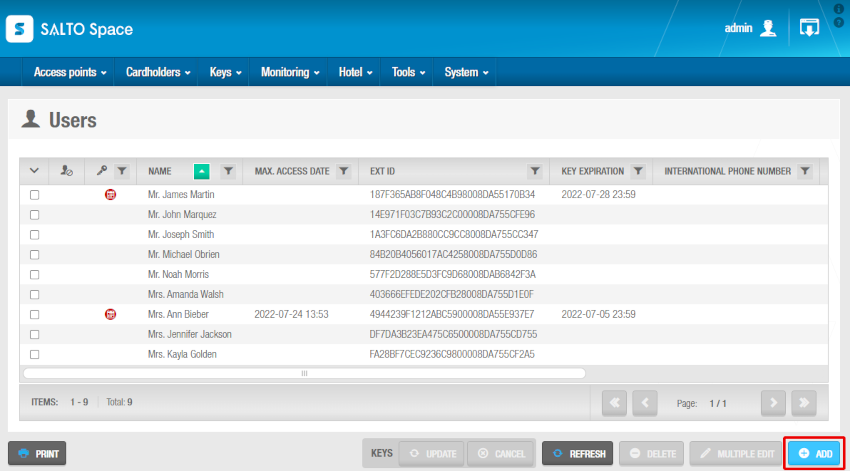
Click on Add. The User information screen is displayed.
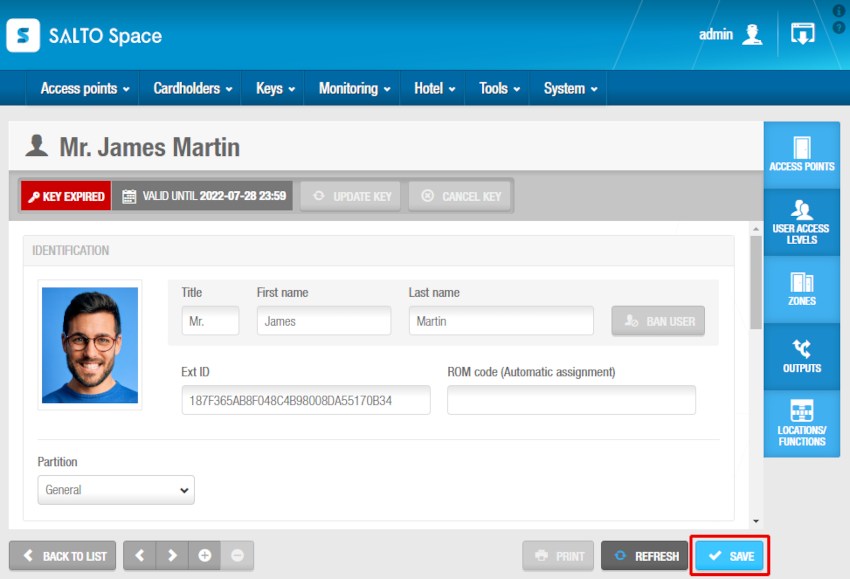
Type a title, first name and last name for the user in the Identification panel.
We strongly recommend that you use the following format for users in strata buildings:
First Name: Remote/Fob/Card #
Last Name: Unit#
eg. First Name: Remote 1234 | Last Name: U207
Set the following items:
Access Levels
Access levels are groups of doors and lifts that are easily assigned to each user. Generally they will be named according to the building or